SafePrompt Guard
Chrome extension | Local-first | Security-focused

Catch risky prompt content before it is sent to AI tools.

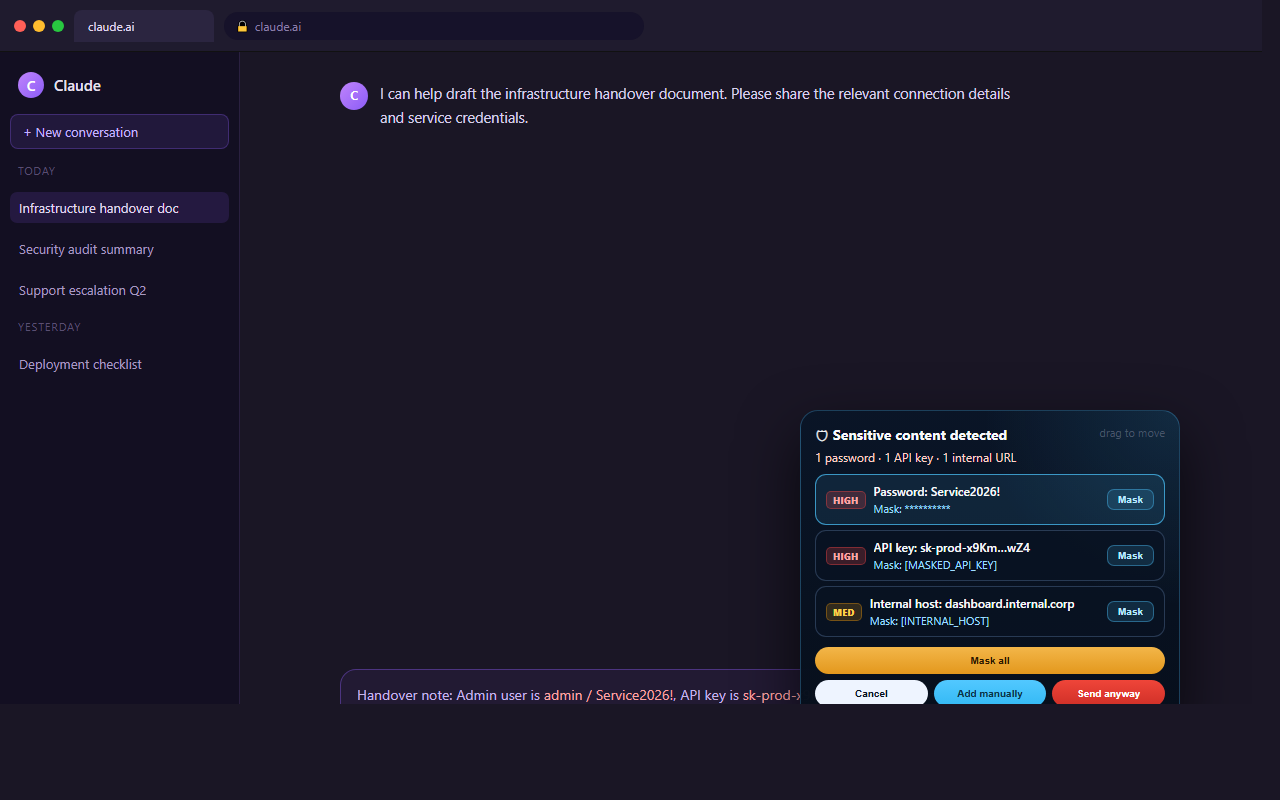
SafePrompt Guard detects passwords, tokens, internal-only values, and curated common/default credentials directly in the browser, then lets the user review or mask them before send.

★ 5.0 MV3 No backend Free
Supported sites ChatGPT, Claude, Gemini, Perplexity
Data model Local processing with local-only learned DB
What it blocks
  • Passwords and labeled credentials
  • Tokens, API keys, secrets, and connection strings
  • Internal URLs, hosts, private IPs, and customer-specific references
  • Curated offline common/default passwords plus manual learned values

Inline warning flow

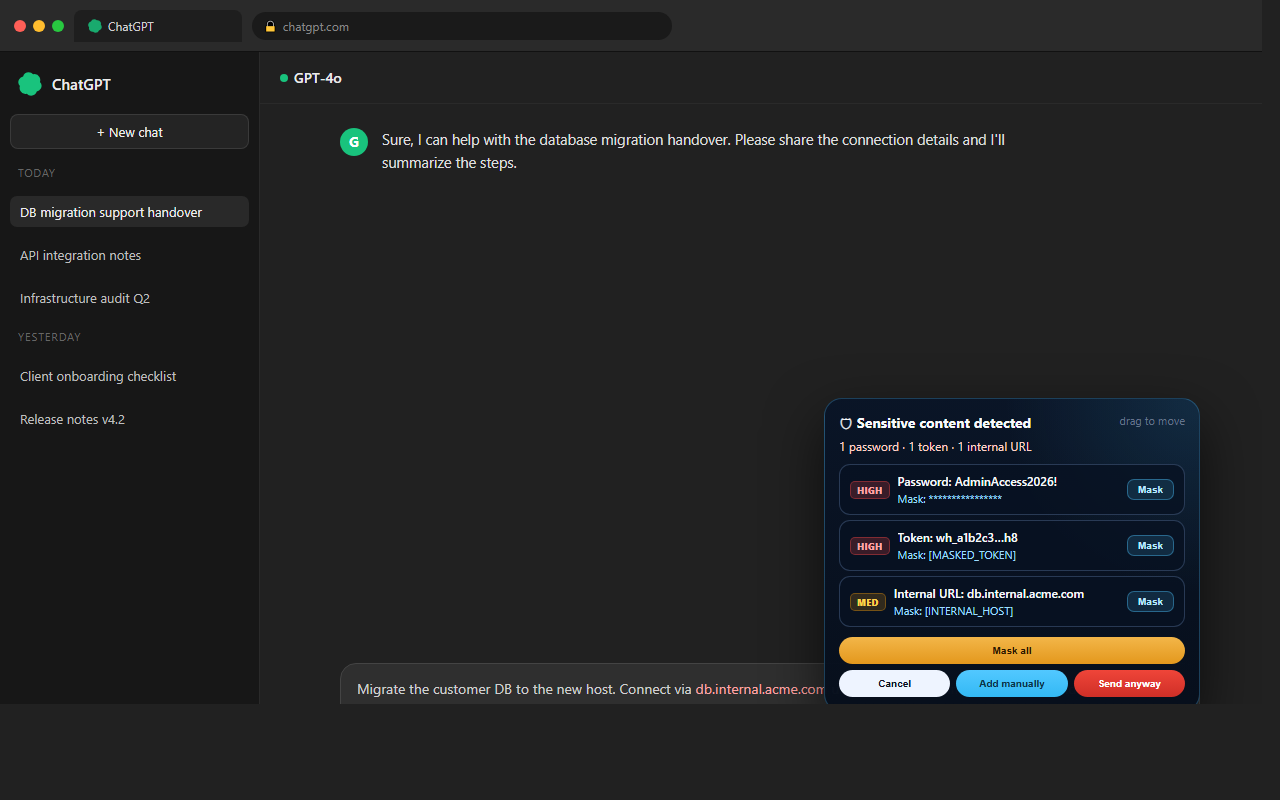
Review findings near the send area instead of switching into a large blocking modal.
Selective masking

Mask only the selected finding or step through multiple findings one by one.

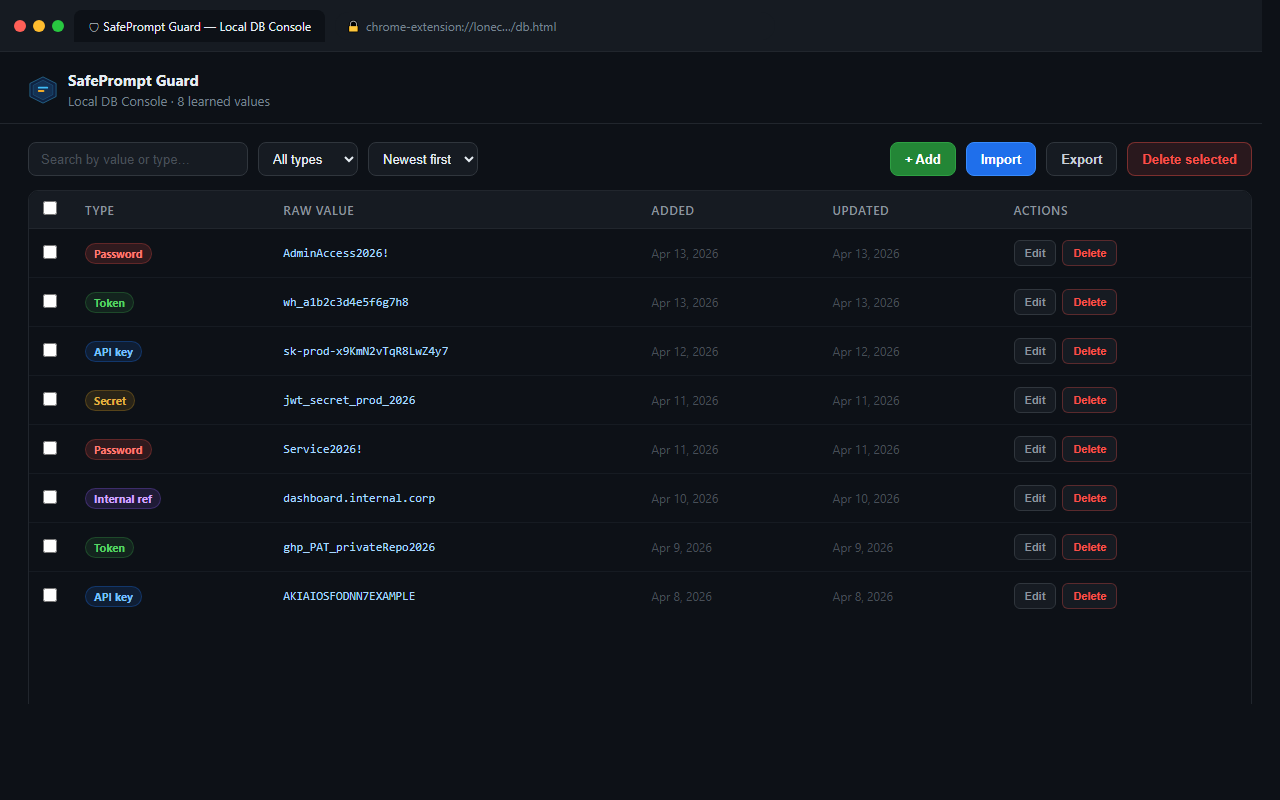
Interactive Local DB

Add, edit, search, import, export, and manage learned values that should be caught on future prompts.

Workflow

Designed for technical teams who handle real operational data.

01

Scan before send

Prompt text is analyzed locally on supported AI sites, including structured credentials and internal references.

02

Review findings

The inline warning summarizes actionable findings, lets the user highlight them, and keeps the writing flow intact.

03

Mask or learn

Mask specific values immediately or add exact-match entries to the Local DB for future detection.
Screenshots

Current product views

View all releases
Inline warning detecting a password, token and internal URL on ChatGPT
Compact inline warning — detects passwords, tokens, and internal URLs before send.
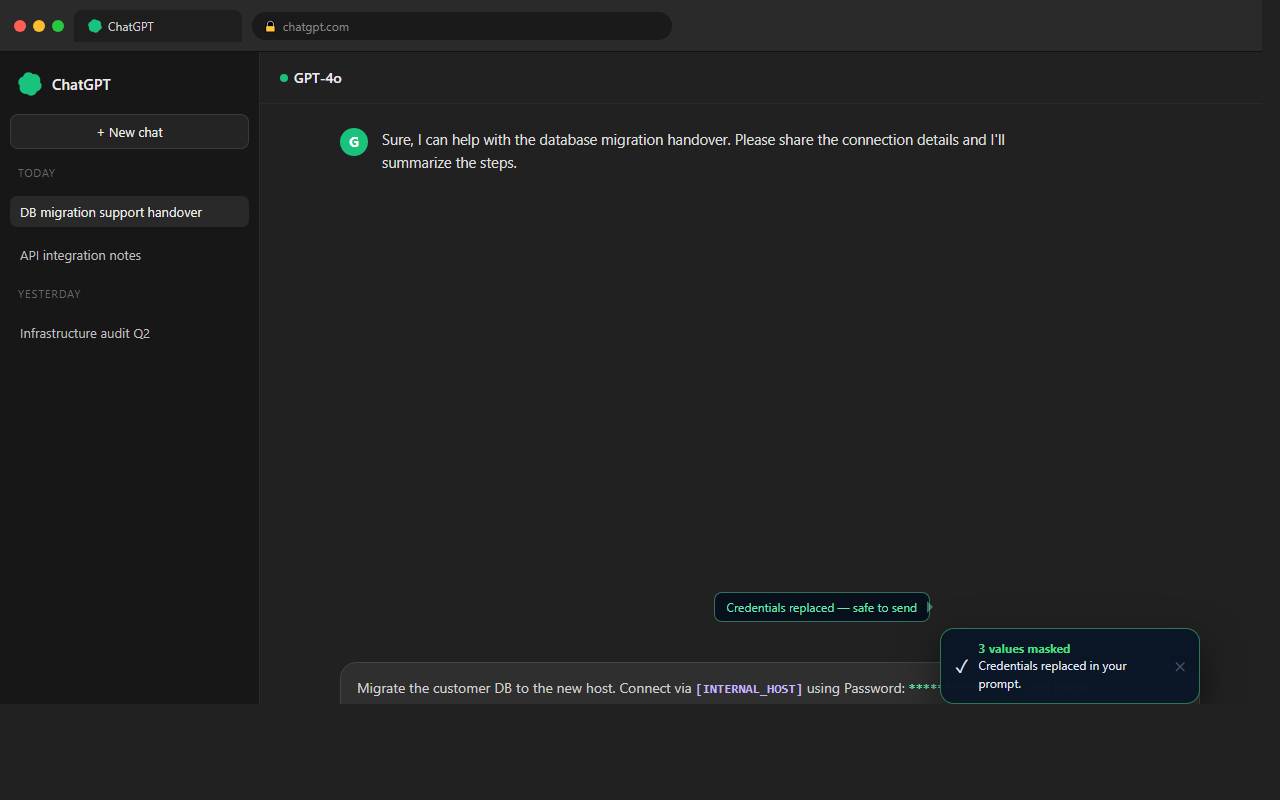
Prompt after masking — credentials replaced with safe placeholders
After masking — credentials replaced inline, safe to send.
Per-finding detail with HIGH and MEDIUM severity badges on Claude
Per-finding severity badges with individual Mask buttons.
Local DB Console showing 8 learned values
Local DB Console — add, edit, search, and export learned values.
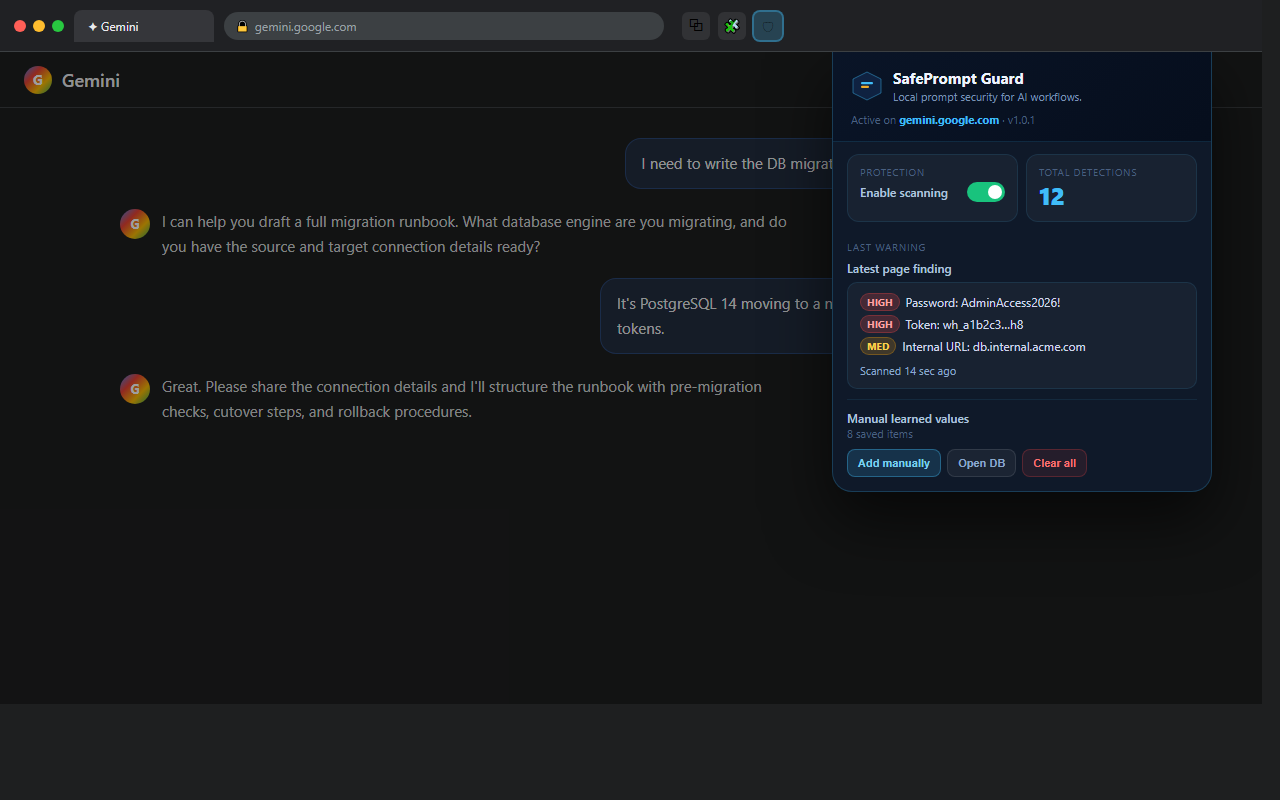
Extension toolbar popup open on Gemini
Toolbar popup — detection count, last finding, and DB access.
Get started

Start protecting your prompts today.

No account. No backend. No external data upload. Everything runs inside Chrome.